

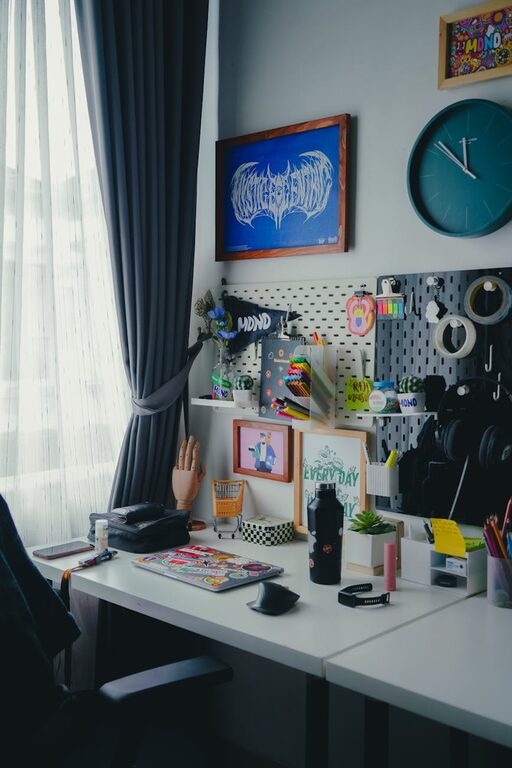
Creating a home workspace that feels both cozy and functional is essential in today’s world, where many people spend a significant amount of time working from home. A well-designed workspace can boost your productivity and mood, while also maintaining comfort. Whether you have a dedicated room or just a small corner, these tips will help you make the most of your space.
Choose the Right Location
Start by selecting a location that fits your work style and daily routine. Ideally, pick a spot that is quiet and free from distractions. Near a window is often best since natural light can improve your mood and reduce eye strain. If your home is busy, look for a corner where you can create some separation from household activities.
Prioritize Comfortable Seating
Your chair is one of the most important elements in your workspace. Choose a chair that supports good posture with adjustable features if possible. Comfort will help prevent back pain and fatigue during long work sessions. Don’t hesitate to add a cushion or lumbar support if needed.
Optimize Your Desk Setup
Size and Surface
Select a desk with enough surface area to comfortably hold your computer, notebooks, and any other essential items. Avoid overly cluttered spaces by keeping only what you need on your desk.
Organization Tools
Use organizers such as trays, file holders, or drawer dividers to keep supplies orderly. This makes it easier to find things when you need them and frees up space.
Invest in Proper Lighting
Good lighting is key to creating a cozy atmosphere and reducing eye strain. If natural light is limited, invest in a desk lamp with adjustable brightness. Warm light tones can add to the cozy feeling, while cooler tones might help you stay alert.
Add Personal Touches
Incorporate items that make your workspace inviting without causing distraction. This could include:
– A small plant for a touch of greenery
– Photographs or artwork that inspire you
– A favorite mug or decorative object
Personal touches can make your workspace feel welcoming and uniquely yours.
Manage Cables Efficiently
Tangled cords can detract from the feeling of tidiness. Use cable clips, sleeves, or ties to keep wires neat and out of the way. This small effort makes your desk look cleaner and reduces stress caused by clutter.
Organize Digitally and Physically
Keep your digital files organized with clear folder structures and backups. For the physical side, declutter regularly and only keep necessary documents at your desk. This reduces distractions and helps you focus.
Create Zones for Different Tasks
If space allows, designate specific zones within your workspace for different activities. For example, a computer area for focused tasks and a separate spot for reading or brainstorming with paper and pens. This can boost efficiency and give your brain a clear signal to switch tasks.
Consider Ergonomics
Adjust the height of your monitor so the top of the screen is at eye level. Keep your keyboard and mouse positioned so your wrists rest comfortably. Ergonomic setups help prevent strain and injury over time.
Incorporate Relaxation Elements
Adding small features that help you relax during breaks can improve overall productivity. Consider a comfortable chair or cushion nearby for short rest periods, or add calming scents like essential oils.
Maintain a Routine
Finally, maintaining a routine by setting work hours and taking breaks helps you balance productivity and comfort. Even the coziest workspace won’t function well if your schedule is too chaotic.
—
By combining these practical tips, you can create a home workspace that helps you work efficiently while feeling comfortable and relaxed. Whether you are setting up a full home office or a small desk in your living room, a thoughtful approach makes all the difference.