

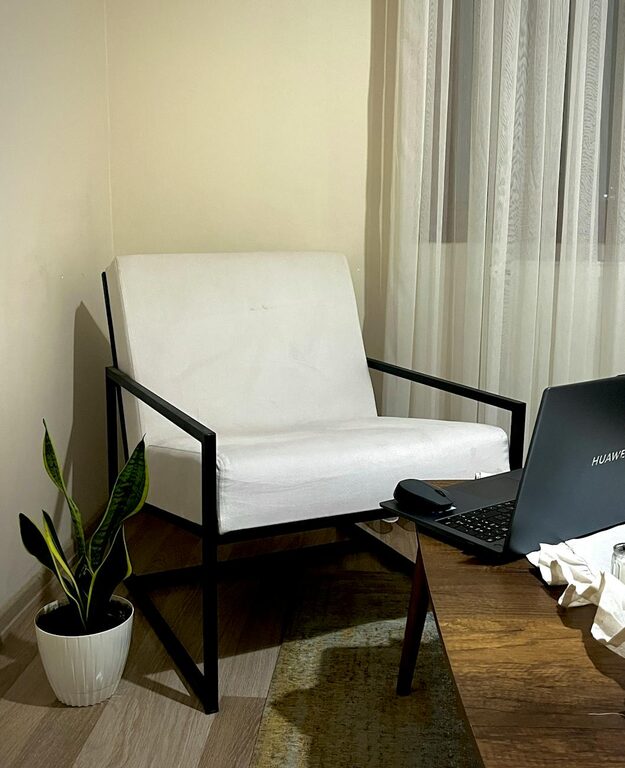
Creating a cozy and inviting home workspace can make a significant difference in your comfort, focus, and productivity. Whether you work remotely full-time or occasionally tackle tasks from home, having a designated area that feels welcoming and organized encourages motivation and reduces stress. In this post, we’ll explore practical tips to help you set up a home workspace that is both comfortable and inspiring.
Choose the Right Location
Consider Natural Light
Natural light boosts mood and reduces eye strain, so try to place your workspace near a window. If that’s not possible, use soft, adjustable lighting that mimics daylight to keep the space bright and inviting.
Minimize Distractions
Pick a spot where noise and interruptions are minimal. If space is limited, try to create a sense of separation using room dividers, curtains, or even strategically placed furniture.
Invest in Comfortable Furniture
Ergonomic Chair and Desk
An ergonomically designed chair and desk support good posture and prevent discomfort during long work hours. Look for adjustable chairs that provide lumbar support and desks at a height where your arms rest comfortably at 90 degrees.
Add Soft Textures
Incorporate cushions, a cozy throw, or even a small rug to make your workspace feel warmer and more inviting.
Organize with Purpose
Declutter Regularly
Keep your desk clear and organize supplies within reach. A clutter-free space reduces distractions and helps your mind focus.
Use Storage Solutions
Shelves, drawers, and organizers keep everything tidy. Use labeled containers or baskets to make it easy to find what you need.
Personalize Your Space
Add Greenery
Plants not only improve air quality but also add life and color to your workspace. Choose low-maintenance plants like succulents or pothos.
Display Inspirational Items
Photos, artwork, or motivational quotes can create a positive atmosphere. Choose items that make you happy without overwhelming the space.
Optimize Technology Setup
Manage Cables
Untidy cables create visual clutter. Use cable organizers, clips, or sleeves to keep wires neat and out of sight.
Ensure Good Connectivity
Arrange your workspace near power outlets and ensure a strong Wi-Fi connection to avoid disruptions.
Incorporate Comfort and Wellness
Maintain Good Air Quality
Open windows regularly or use a small air purifier to keep the air fresh and comfortable.
Keep a Water Bottle Nearby
Staying hydrated improves focus and energy, so keep water within easy reach.
Take Breaks with Intention
Design the space so you can step away and stretch. Consider adding a comfortable chair or a spot for quick relaxation between tasks.
Lighting Tips for a Cozy Workspace
Layered Lighting
Combine natural light with ambient, task, and accent lighting. A desk lamp with adjustable brightness is ideal for focused work.
Warm Light Tones
Use bulbs that emit warm, soft light to create a calming environment in the evening.
Color and Décor for Inviting Vibes
Choose Soothing Colors
Soft, neutral tones or gentle pastels promote relaxation and concentration. Avoid overly bright or harsh colors that can cause fatigue.
Keep It Simple
A clean, uncluttered space with well-chosen décor items supports a peaceful and productive atmosphere.
Final Thoughts
Creating a cozy and inviting home workspace involves balancing comfort, organization, and personalization. By focusing on the right location, ergonomic furniture, clever organization, and thoughtful décor, you can design a space that not only looks appealing but also enhances your work routine. Remember, small changes can make a big difference, so start with a few adjustments and enjoy the benefits of a workspace that feels truly yours.