

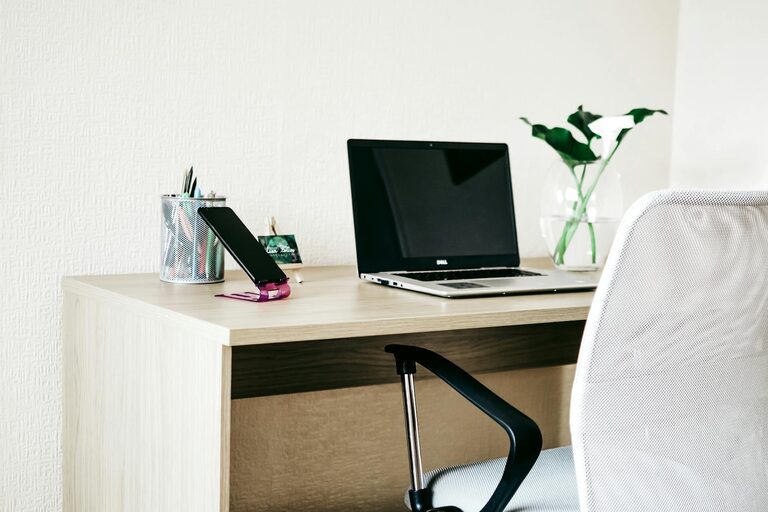
Creating a home workspace that is both cozy and functional can significantly enhance your productivity and overall well-being. Whether you work from home full-time or just need a dedicated spot for occasional tasks, setting up an environment that feels inviting and efficient is key. In this post, we’ll explore practical tips to help you design a space that works for you.
Why a Cozy and Functional Workspace Matters
A workspace that is comfortable and well-organized can improve focus, reduce stress, and make working from home more enjoyable. Cozy elements create a welcoming atmosphere, while functional design ensures that everything you need is within reach and distractions are minimized.
Choosing the Right Location
Consider Natural Light
Whenever possible, choose a spot near a window. Natural light boosts mood and energy, helping you stay alert throughout the day. If natural light is limited, invest in quality lighting with adjustable brightness and color temperature.
Minimize Noise and Distractions
Select a quiet area of your home or use noise-cancelling headphones if ambient noise is unavoidable. This will help you maintain concentration during focused work periods.
Think About Space Needs
Make sure your chosen location has enough room for your desk, chair, and any additional equipment or storage you require. Avoid cramped corners that can feel claustrophobic and hinder comfort.
Selecting Comfortable and Practical Furniture
Invest in a Good Chair
A supportive, adjustable chair is one of the most important elements of a home workspace. It helps prevent back and neck pain and keeps you comfortable during long sessions.
Choose the Right Desk
Your desk should be at a height that allows your arms to rest comfortably while typing or writing. Consider options with built-in storage or shelves to keep supplies tidy.
Incorporate Flexible Furniture
If space is limited, explore foldable desks or wall-mounted workstations that can be stored away when not in use. A small side table can serve multiple functions like holding a printer or extra materials.
Organizing for Efficiency
Declutter Regularly
Keep only what you need on your desk to avoid distractions. Use organizers, trays, or drawer dividers to maintain order and quickly find items.
Use Vertical Storage
Shelves, pegboards, and wall hooks maximize space by keeping supplies off your desk while remaining accessible.
Manage Cables Neatly
Use cable clips or sleeves to keep cords untangled and out of the way. A tidy workspace improves focus and safety.
Adding Cozy Elements
Soft Textiles
A cushion or throw blanket on your chair can add comfort and warmth. Consider a soft rug underfoot for extra coziness.
Personal Touches
Incorporate elements that make the space feel yours—photos, artwork, or a favorite plant. These small touches boost mood and creativity.
Calming Colors
Choose soothing colors like soft blues, greens, or neutrals for walls, decor, and accessories. These tones promote relaxation and concentration.
Enhancing Productivity with Good Habits
Establish a Routine
Set regular working hours and break times to create structure and prevent burnout.
Make Use of Natural Breaks
Stand, stretch, or take a short walk every hour to refresh your body and mind.
Keep Essentials Handy
Have water, snacks, and necessary supplies within reach to minimize interruptions.
Technology Tips
Invest in Quality Equipment
A reliable computer, keyboard, and mouse can make work smoother and reduce frustration.
Use a Second Monitor
If your work involves multitasking, a dual monitor setup can increase efficiency.
Maintain Ergonomics
Place your screen at eye level and maintain proper posture to avoid strain.
Conclusion
Designing a cozy and functional home workspace is about balancing comfort with productivity. By choosing the right location, investing in good furniture, organizing efficiently, adding personal and cozy touches, and developing healthy work habits, you can create a space that supports your success and well-being. Take time to personalize your area and make adjustments as your needs change to enjoy your best work-from-home experience.